
Internal audits
Internal audits with evidence, scoring and an action plan.
Use your own checklists or start from templates, such as the RDC 978/2025 compliance assessment, record the answers with notes and follow the handling of each nonconformity.
- RDC 978/2025 assessment template
- Result and score by category
- Action plan with owner, deadline and priority
In the laboratory routine
Auditing to improve, not just to score
Internal audits show what is in place and what needs action. Their value lies in following nonconformities through to the verification of effectiveness, beyond the final score.
-
The challenge
Checklists in loose documents
Different versions of the checklist circulate among the team, and consolidating answers and evidence takes time.
In QualiChart
Checklists are kept in the system, with categories, questions, weights and the regulatory reference for each question. A cloned template is fully editable.
-
The challenge
Nonconformities without follow-up
A nonconformity raised in the audit loses momentum when the action has no owner and no deadline.
In QualiChart
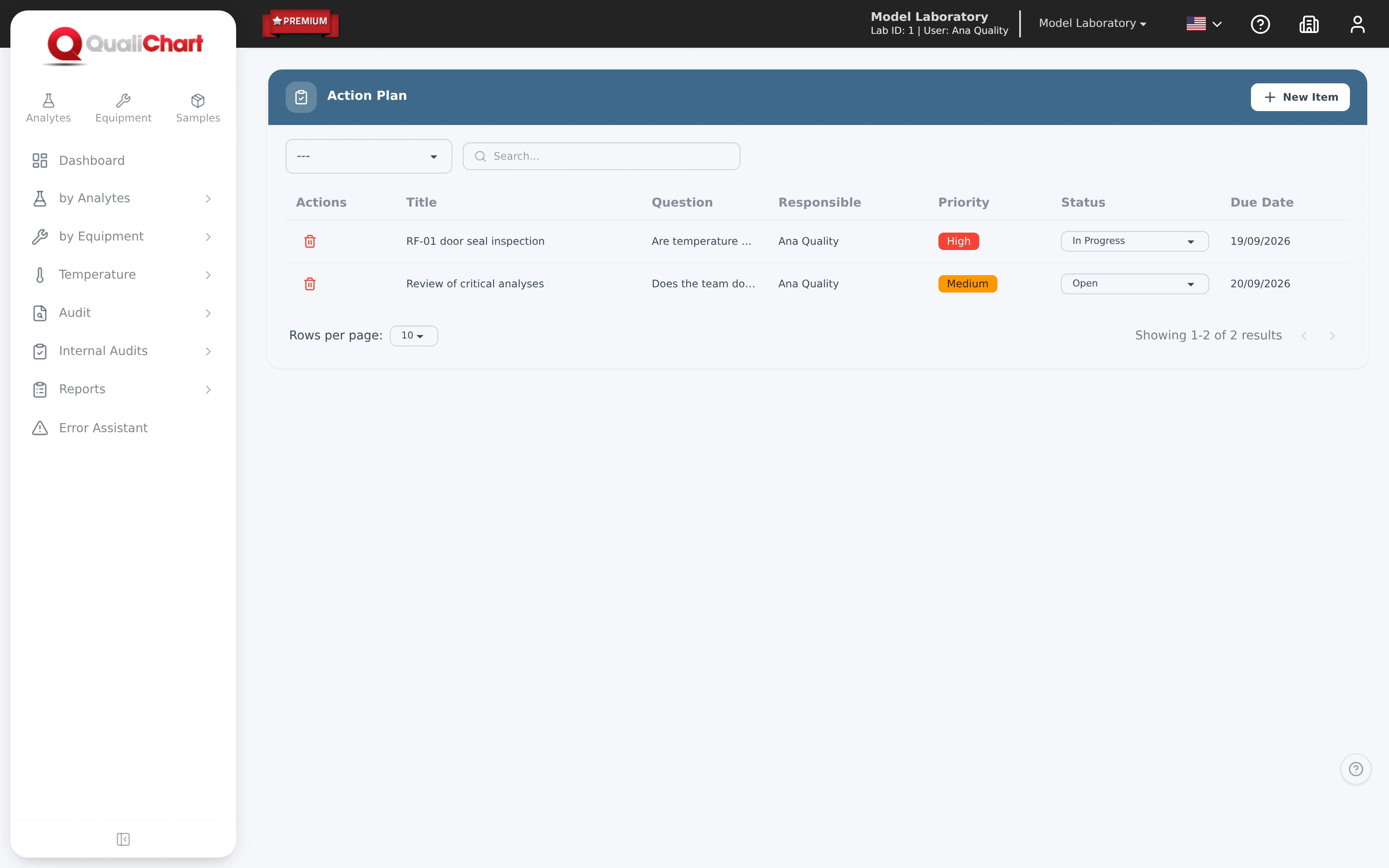
The action plan creates an item for each nonconformity, with owner, priority, deadline, status and comments on progress.
-
The challenge
Results that are hard to present
Taking the audit result to management requires consolidating scores, pending items and evidence.
In QualiChart
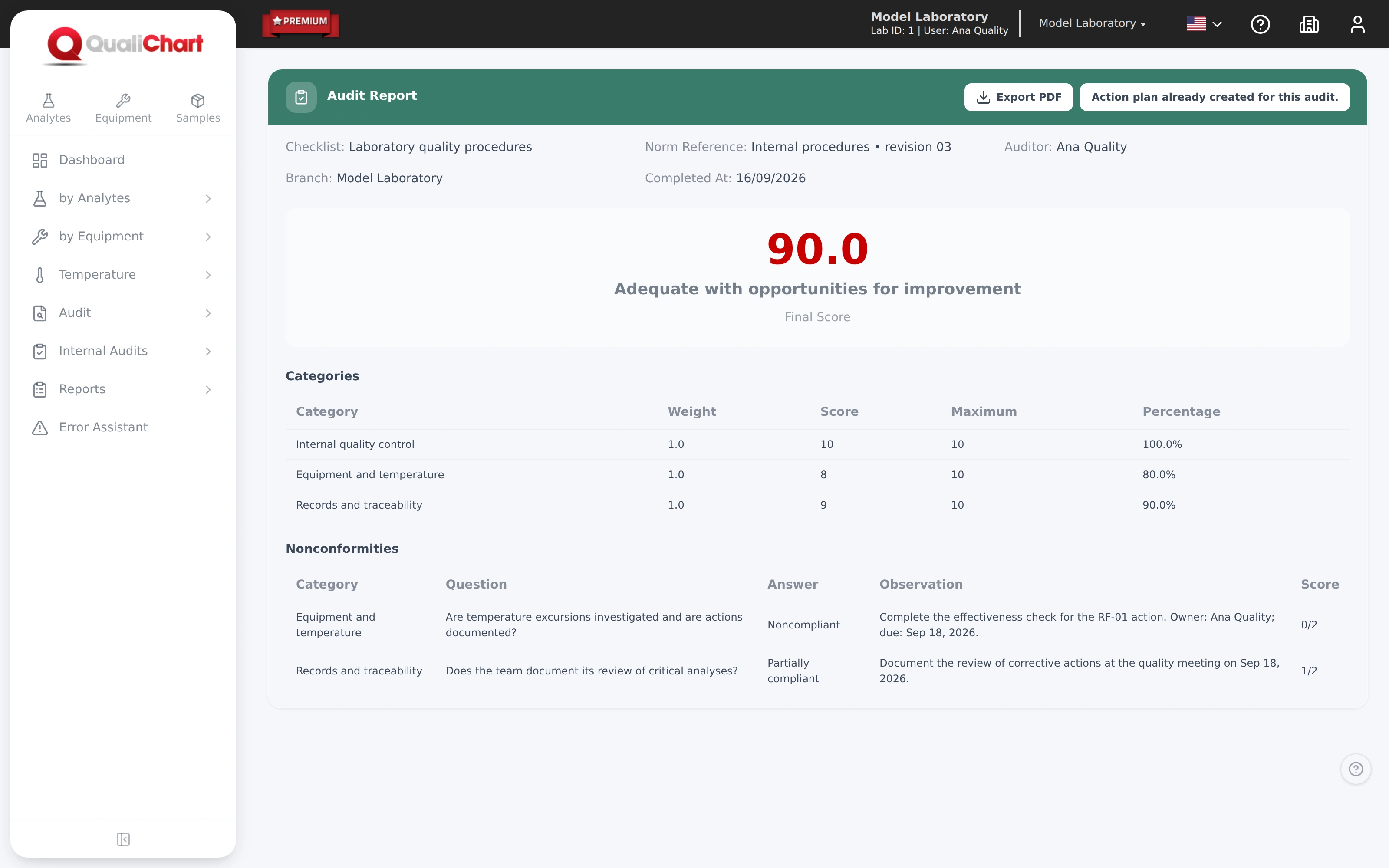
The report presents the final score, the classification, the table by category and the nonconformities, with PDF export.
How it works
From the checklist to the action plan
Choose or create the checklist
Start from scratch or from a template, such as the RDC 978/2025 Compliance Assessment, and adjust categories, questions, weights and options.
Answer with evidence
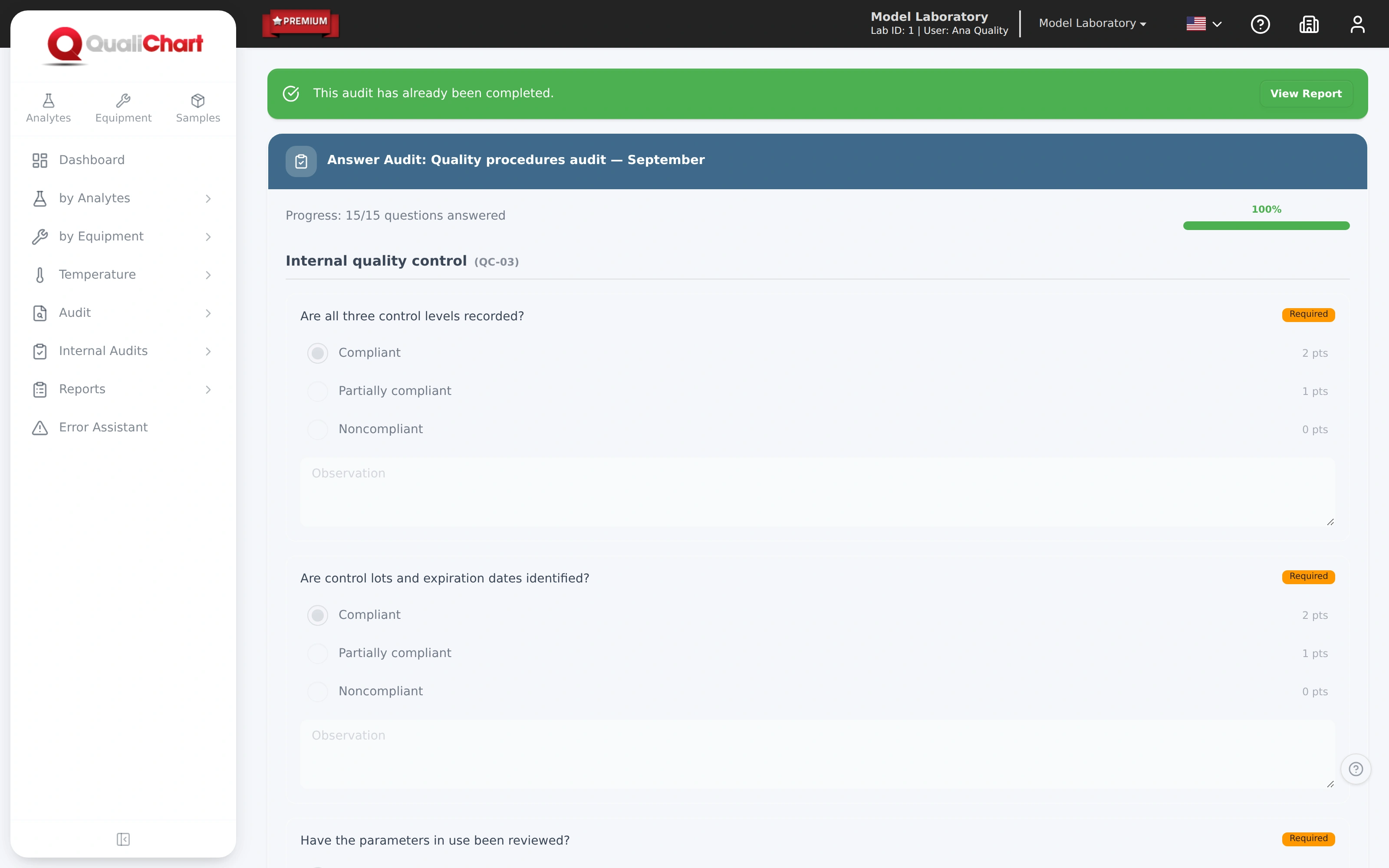
Compliant, partially compliant, noncompliant or not applicable, with a note on the evidence. Answers are saved automatically.
Complete the audit and analyze the report
Final score, classification, results by category and the list of nonconformities.
Act and verify effectiveness
Generate the action plan, follow the items through to completion and record what was done and how effectiveness was verified.
Capabilities
See what's covered. And what needs action.
Evaluate the routine with checklists, gather evidence and track nonconformities in a report by category.
- Your own checklistsCategories, questions and weights defined by the laboratory.
- Evidence-based executionAnswers, observations and progress recorded during the audit.
- Results by categoryScore and rating, with nonconformities documented.
- Action planOwner, due date, priority and follow-up for each action, with the report in PDF.
Requirements and good practice
References for internal audits
- ISO 15189:2022 · 8.8.3
The laboratory shall conduct planned internal audits to verify that the management system meets the requirements and is effectively implemented.
Read the source - ISO 15189:2022 · 8.7
Nonconformities require correction, cause analysis, corrective action when needed and evaluation of effectiveness.
Read the source - RDC 978/2025 · Art. 87
The effectiveness of quality control management must be monitored by the technical manager through performance indicators.
Read the source
The RDC 978/2025 assessment template is a starting point for self-assessment. For PALC, DICQ or ISO 15189, use the current edition of the standard. Compliance depends on the evidence and on the technical manager's evaluation; the system does not grant accreditation.
Can I create my own checklists?
Yes. Define categories, questions, weights and answer options, or clone a template and adjust it. Creating and editing checklists requires a system administrator profile.
Is there a template for RDC 978/2025?
Yes. The RDC 978/2025 Compliance Assessment is available as a template and becomes fully editable once cloned to your account.
Does the score replace the analysis of nonconformities?
No. The score summarizes the result; the handling of each nonconformity is followed in the action plan until completion.
Can the report be shared with management?
Yes. The audit report is exported as a PDF, with the score, the classification, the results by category and the nonconformities.
Further reading
Related content
Your next step in quality control
Put QualiChart to the test. Free for 30 days.
Create your account and evaluate QualiChart in your laboratory. Do you prefer a guided introduction? Request a demo with our team.