Cover page
Identification on every download
PDF and Word files come with code, version, status, who reviewed and approved, next review and revision history.
About the cover page
QC-GED · Electronic document management
SOPs, manuals and records with review, approval, distribution and confirmed reading. Fully traceable, with the same QualiChart account.
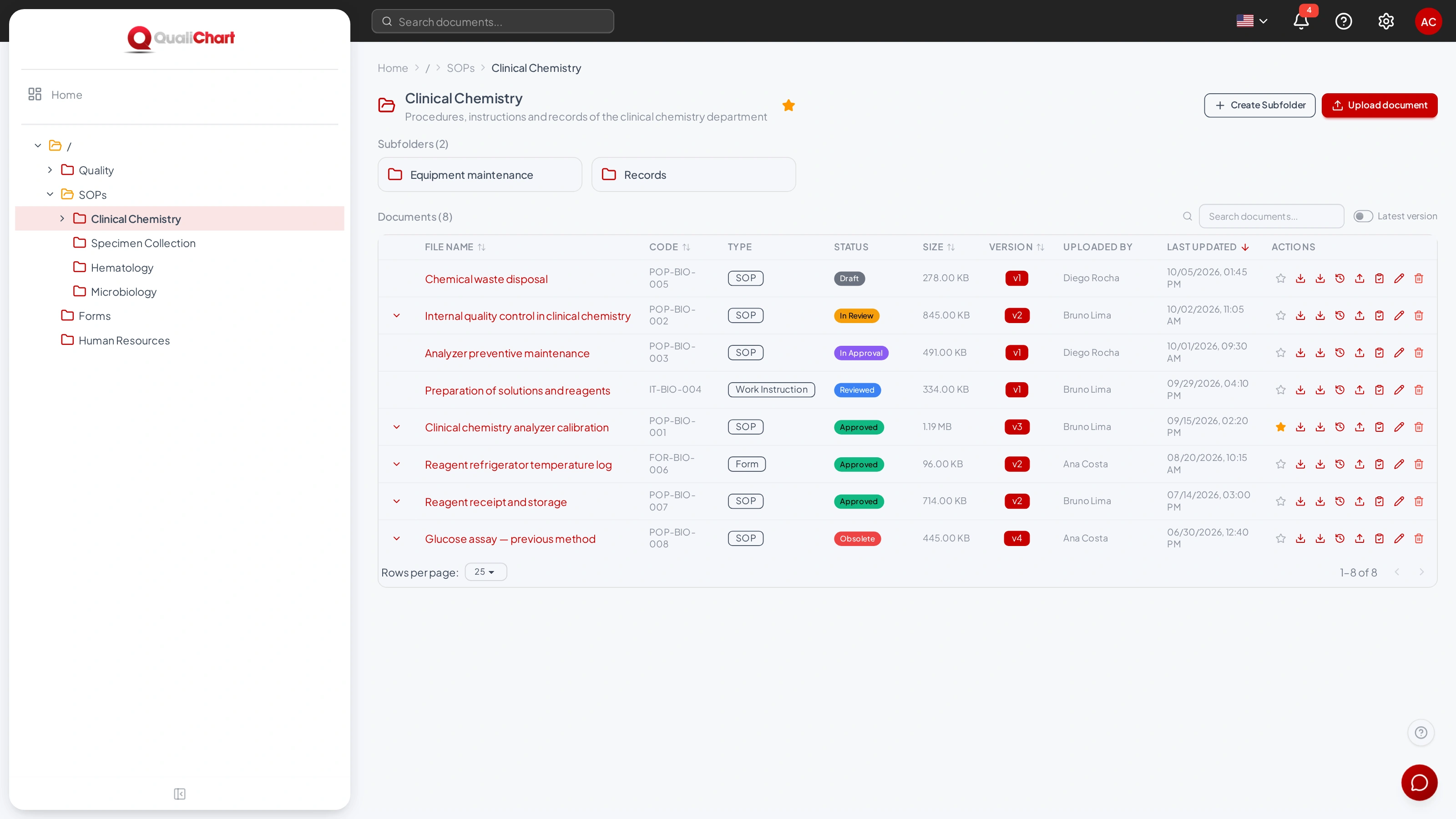 Enlarge screen
5 yearsof audit log records
3 languagesPortuguese, English and Spanish
Same accountas QualiChart to sign in to GED
QC-GED in practice
01 / Approval workflow
The document follows the laboratory's workflow, from draft to approval. Only authorized groups carry out each step, with a comment.
In this example: version 3 of the calibration SOP reviewed and approved, with owners, dates and comments.
Request demo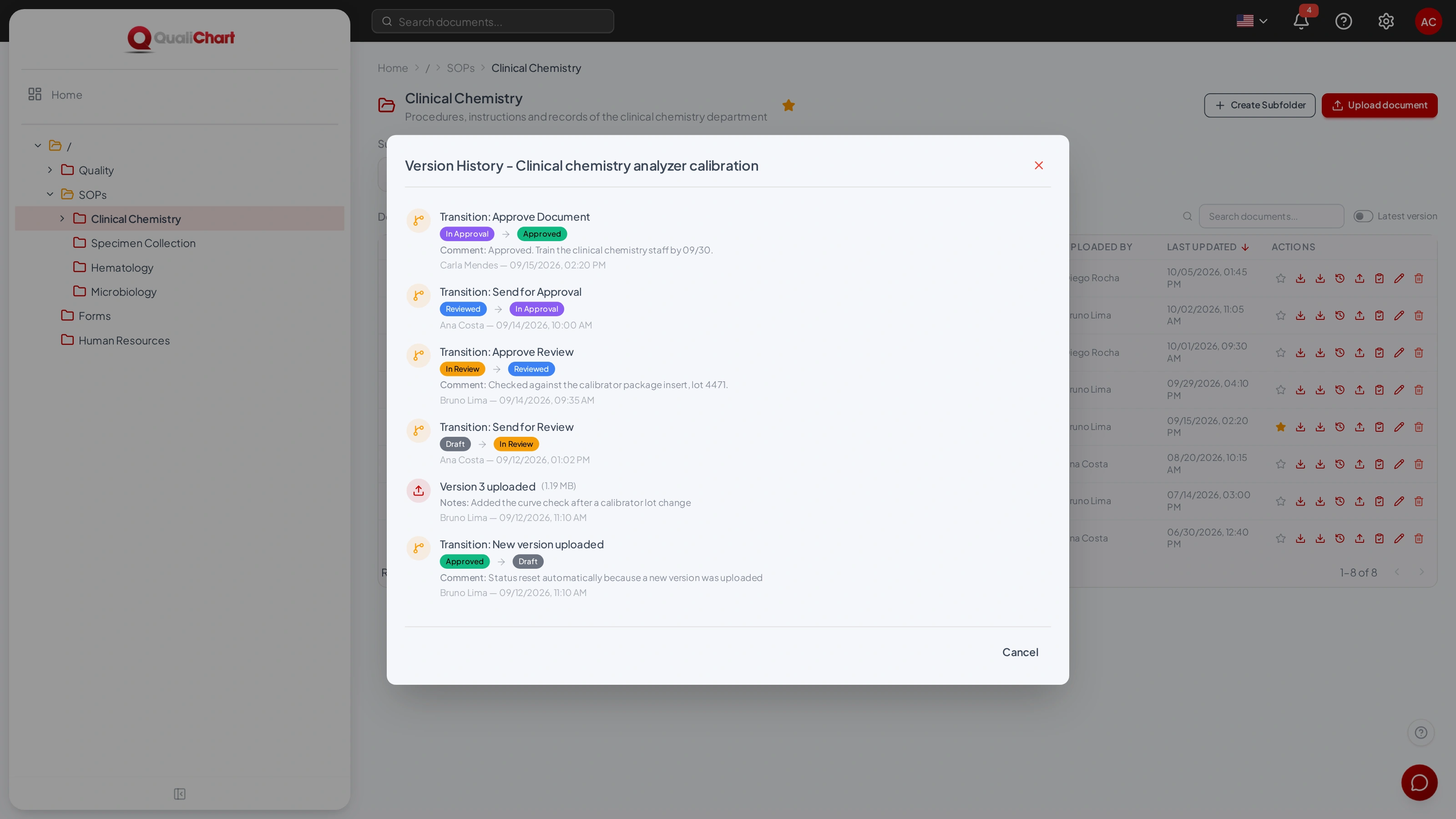
02 / Required reading
Once approved, the version becomes the controlled copy. Assign the reading to people or groups and track who has confirmed it.
In this example: 3 of 4 people have confirmed reading the distributed version.
Request demo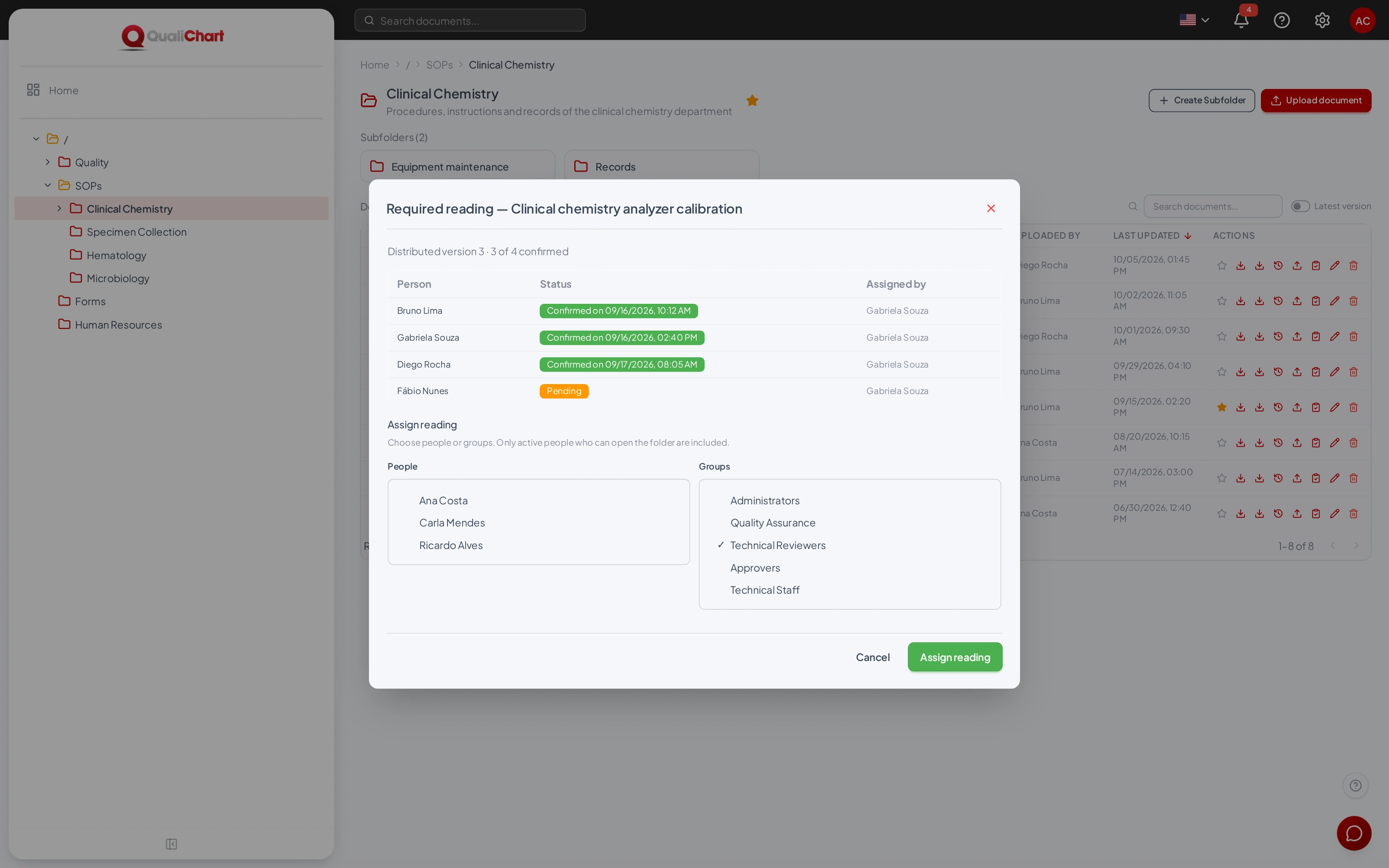
03 / AI Assistant
The AI assistant answers in natural language, based only on the current documents in the folders you can access.
The distributed document remains the official reference. Check the source before deciding.
Request demo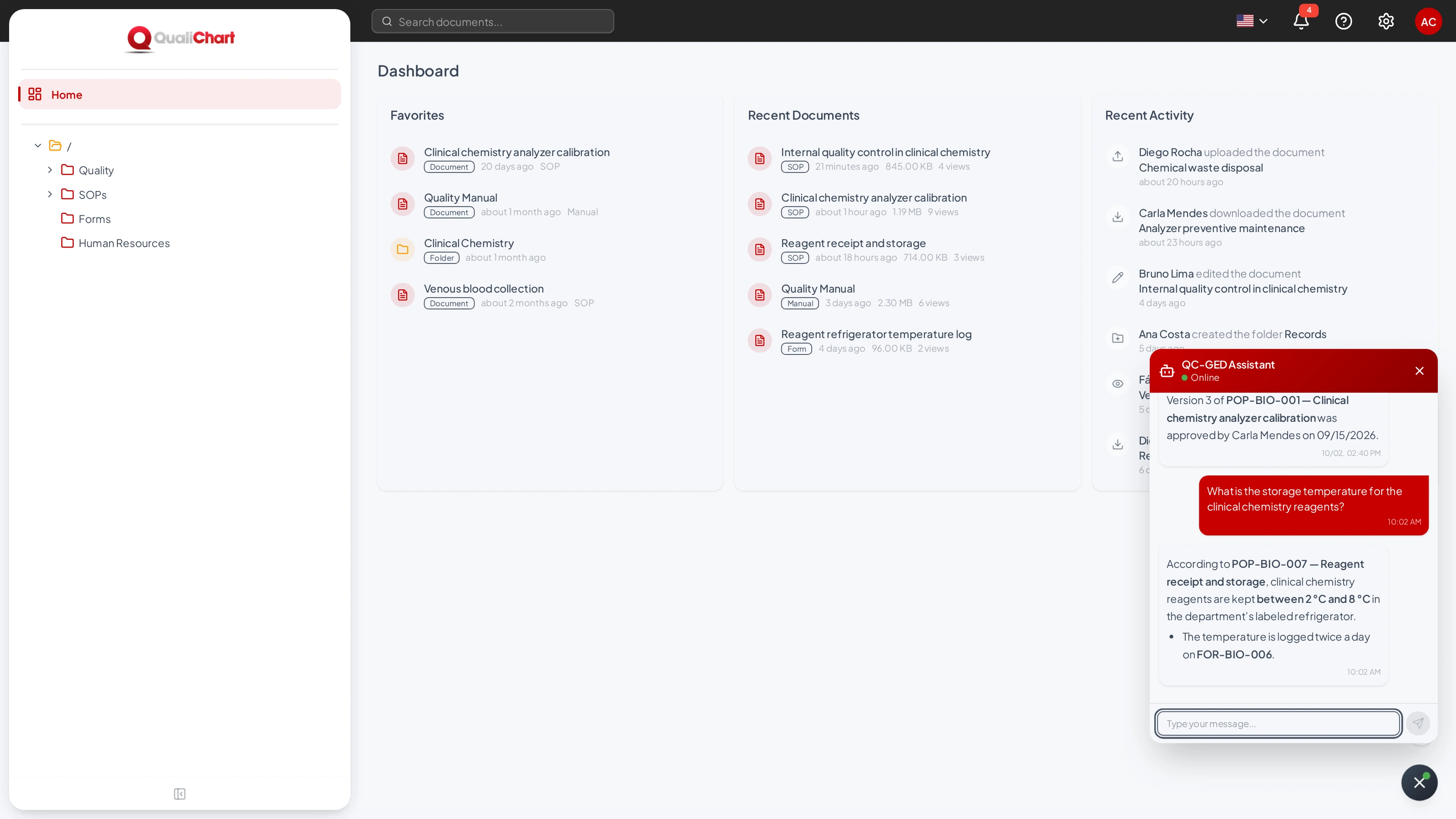
Beyond the workflow
Folders with permissions, custom workflows, content search, compliance reports and audit log: see what else your team organizes in QC-GED.
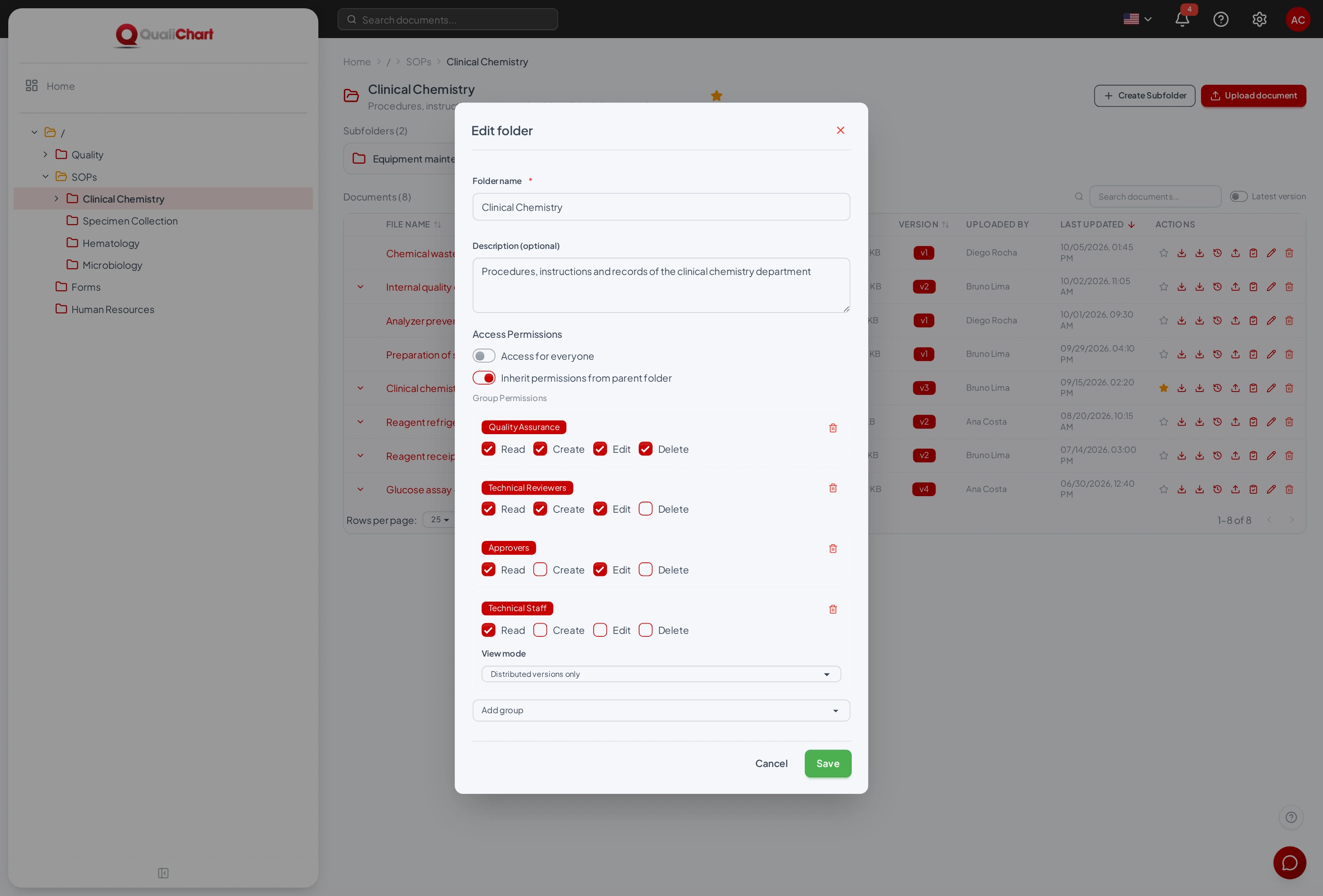
Folders and permissions
Organize documents in folders and set, by group, who can read, create, edit and delete. Subfolders can inherit the parent folder's permissions.
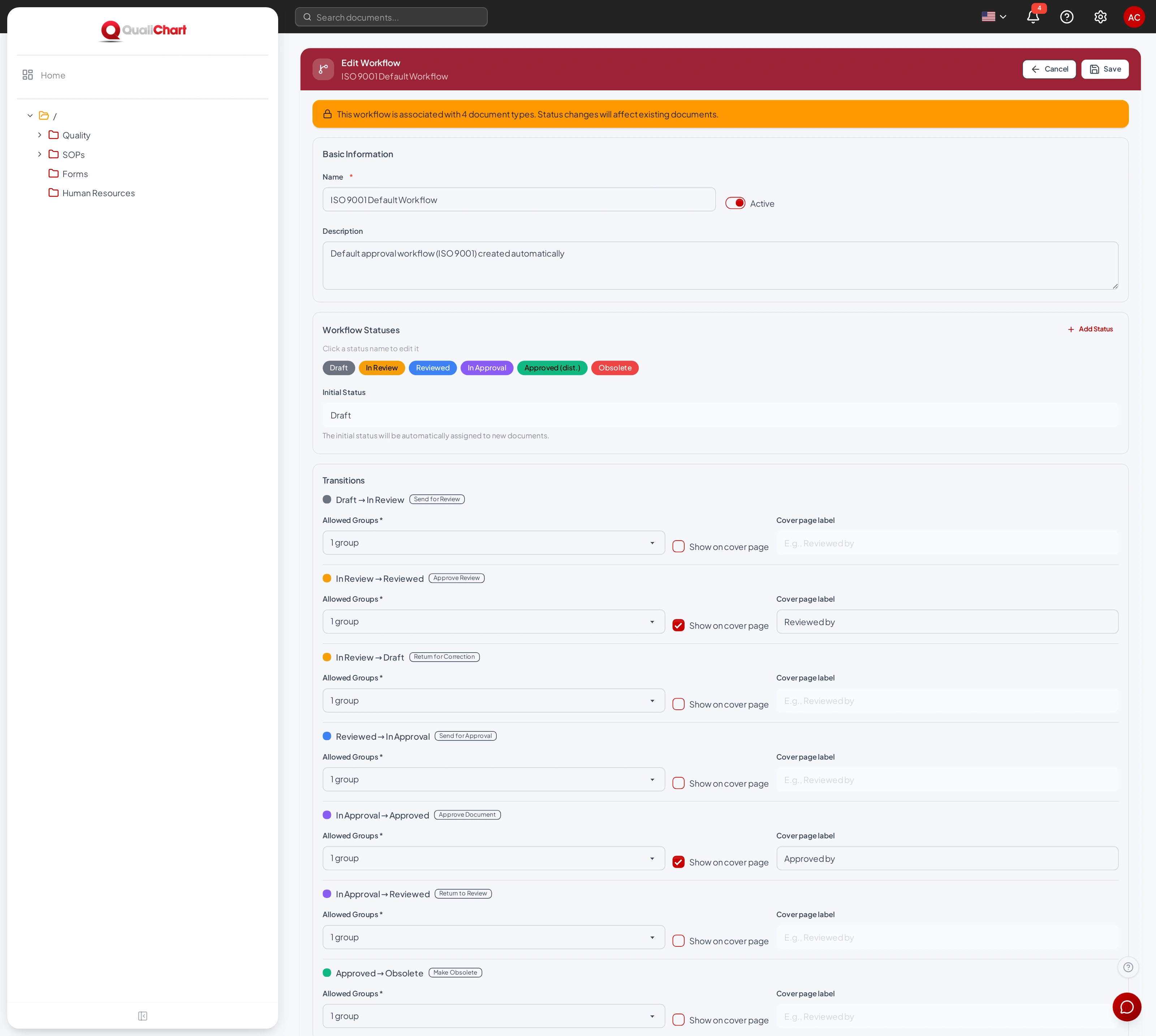
Approval workflows
Start from the ISO 9001 / ISO 15189 template or create your own workflows, with the statuses, transitions and groups that carry out each step.
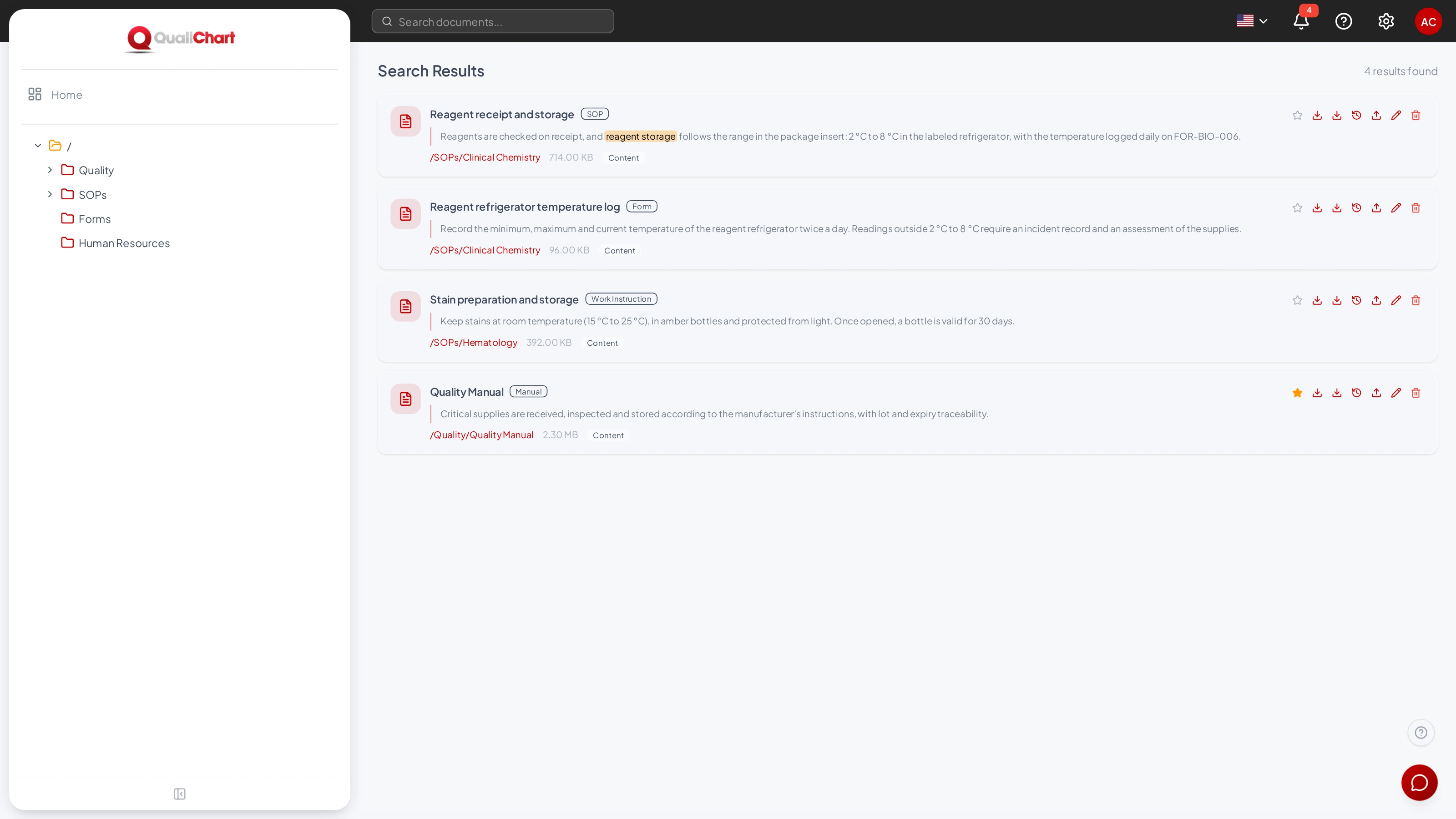
Content search
Search looks inside the documents and compares the meaning of the text, not just the exact words. It shows the matching excerpt and the folder.
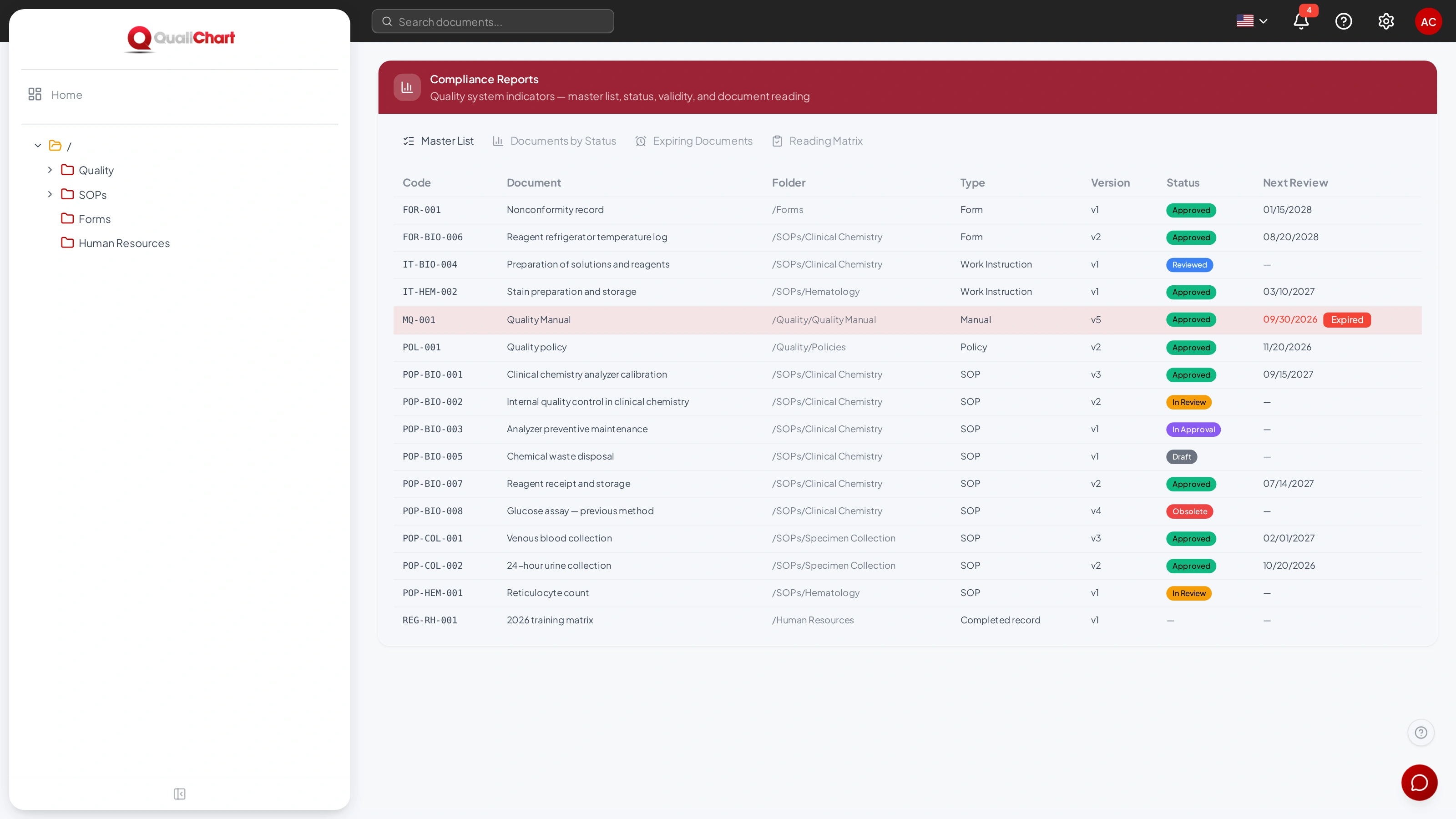
Compliance reports
Master list, documents by status, expiring documents and reading matrix, generated from what happens in the system.
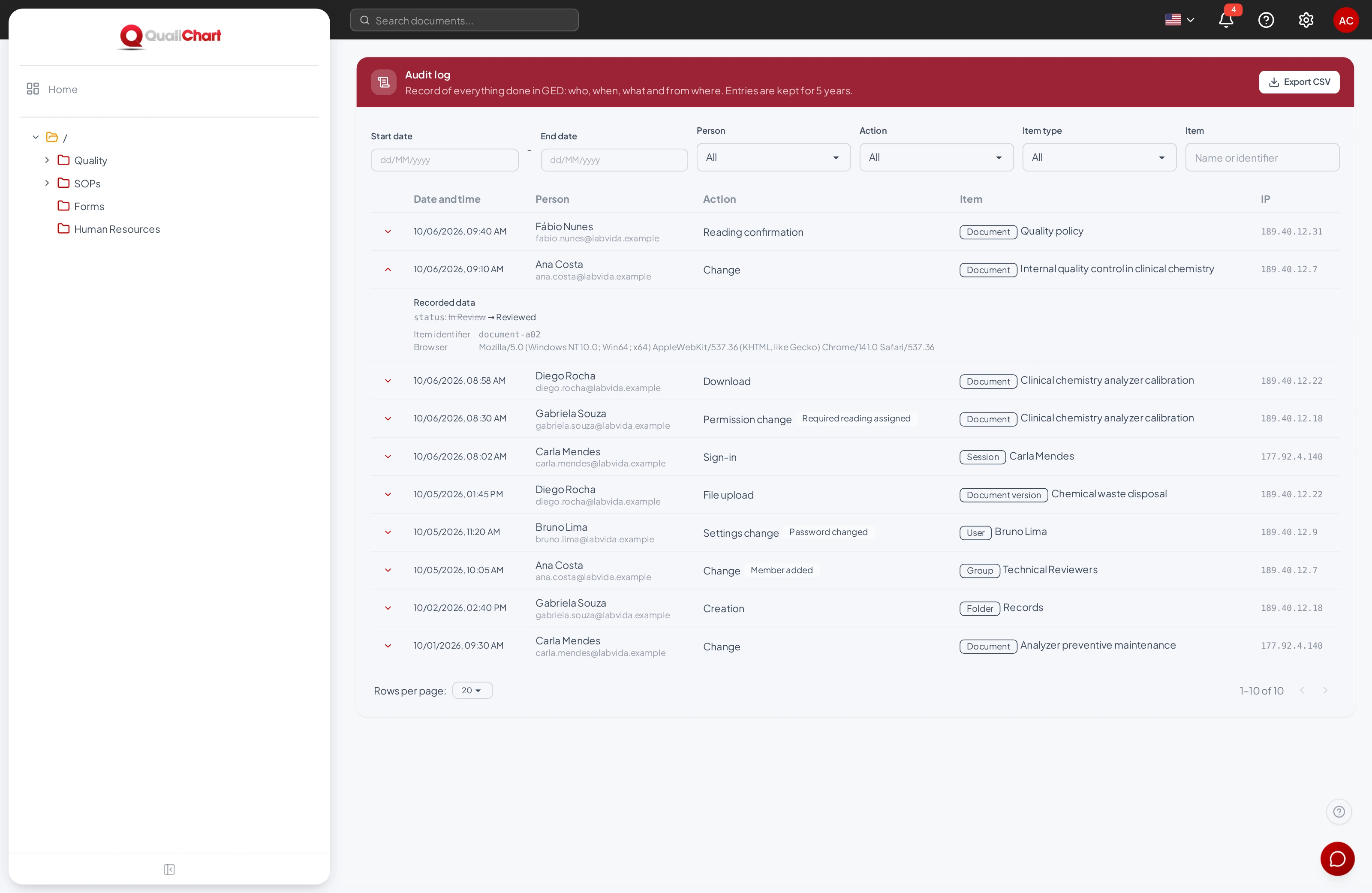
Audit log
Uploads, downloads, changes, transitions, permissions and sign-ins are recorded with person, date, time and IP. Records are kept for 5 years.
Controlled copy
Cover page
PDF and Word files come with code, version, status, who reviewed and approved, next review and revision history.
About the cover pageVersions
Each new file creates a version. Previous versions are kept, with who uploaded them, when and why.
See versions and historyPending items
The bell in the header shows the documents waiting for your action. Assigned readings appear on the Home page.
See pending itemsUser manual
The QC-GED manual covers every screen, workflow, permission and report, in Portuguese, English and Spanish.
A Biosoft solution. Discover our history.
QC-GED pricing is available on request. Ask for a proposal based on your laboratory's scope.
QualiChart users sign in to GED with the same account. People who do not use QualiChart, such as administrative staff, can get a GED-only account created by the laboratory administrator.
Files of up to 50 MB per upload. PDF and Word (DOCX) files get the cover page on download; other formats are downloaded as they are. Images and scanned PDFs without text are not included in search.
No. It helps you find and summarize information and answers based only on the current documents you can access. The controlled copy remains the official reference.
Access to the system is via user account and HTTPS connection. The Privacy Policy describes data processing and the channels for exercising your rights under the LGPD. Ask the team for the data storage, backup, access and processing conditions applicable to your contract.
Security and privacyYes. Request a demo: our team presents QC-GED with sample documents and answers your questions. The proposal sets out the terms before you sign up.
Request demoQC-GED demo
Tell us how quality documents are controlled today. Our team will arrange a presentation with you.
The request does not sign you up for the system. Do not send documents or patient data through the form.
Would you rather chat now?
Talk via WhatsApp