
Data entry and import
IQC results entered the way your routine needs.
On the control panel, through the entry by equipment or from a file exported by the instrument or the LIS: results reach the same control and are evaluated by the same rules.
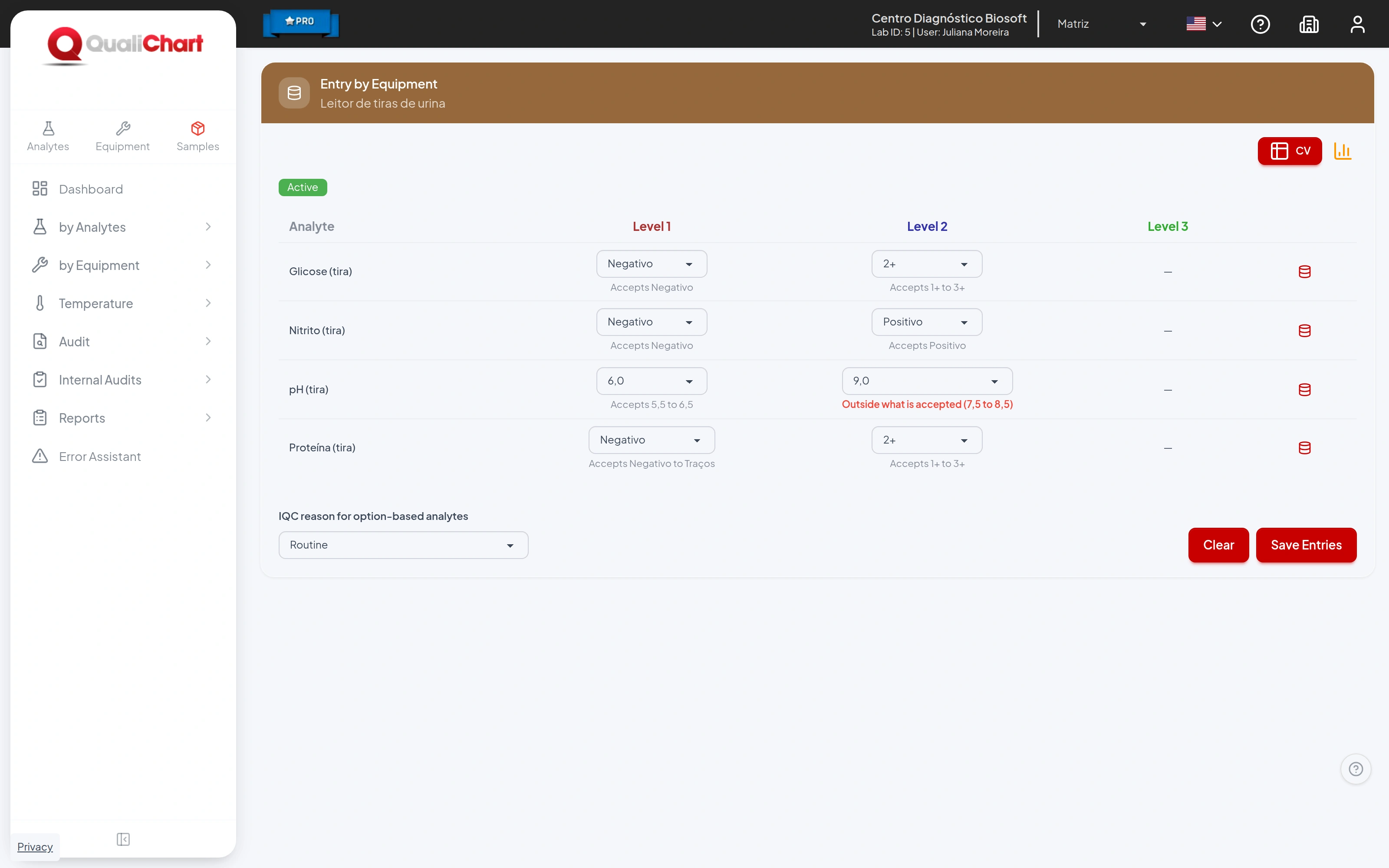
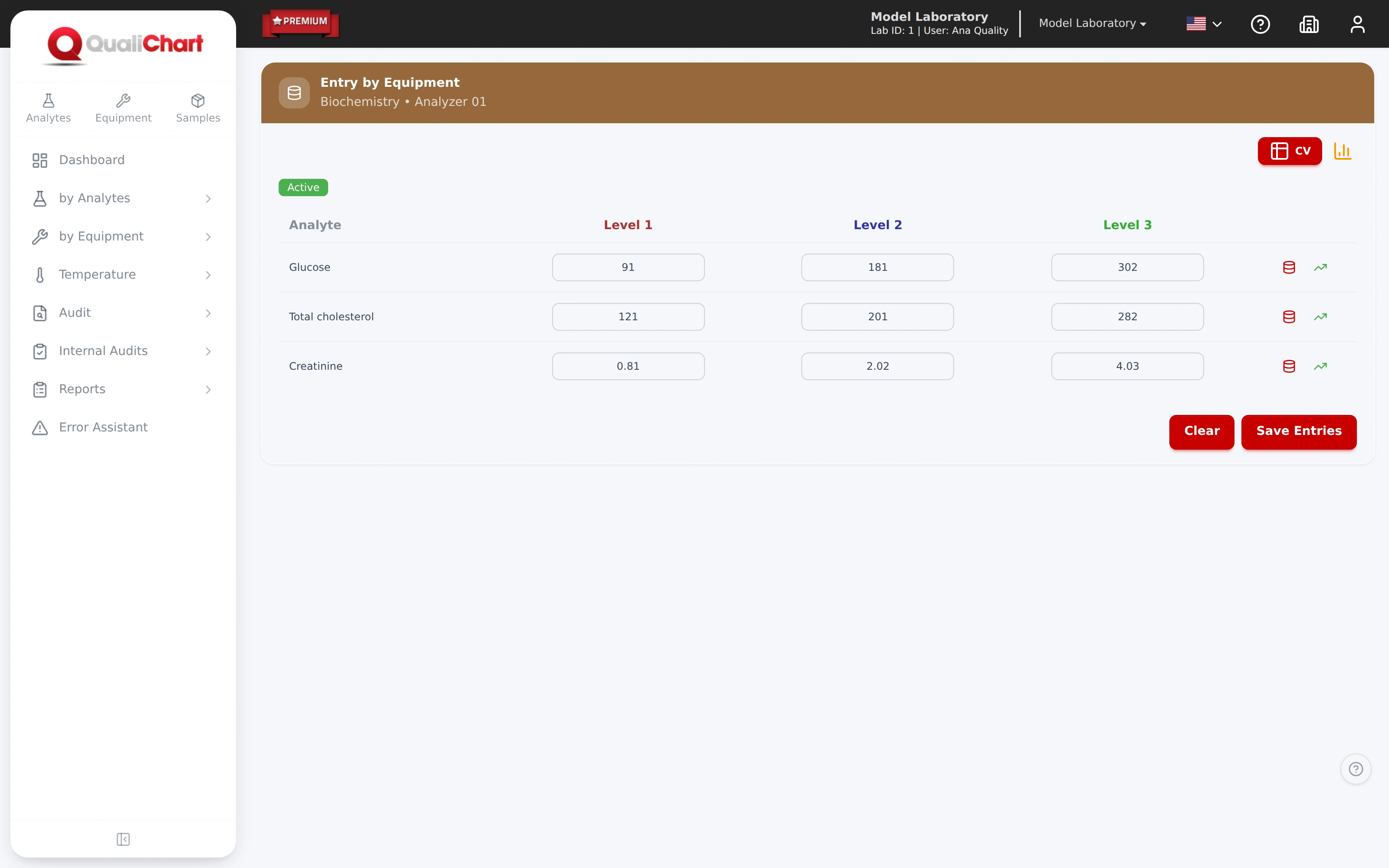
- All analytes of an instrument on one screen
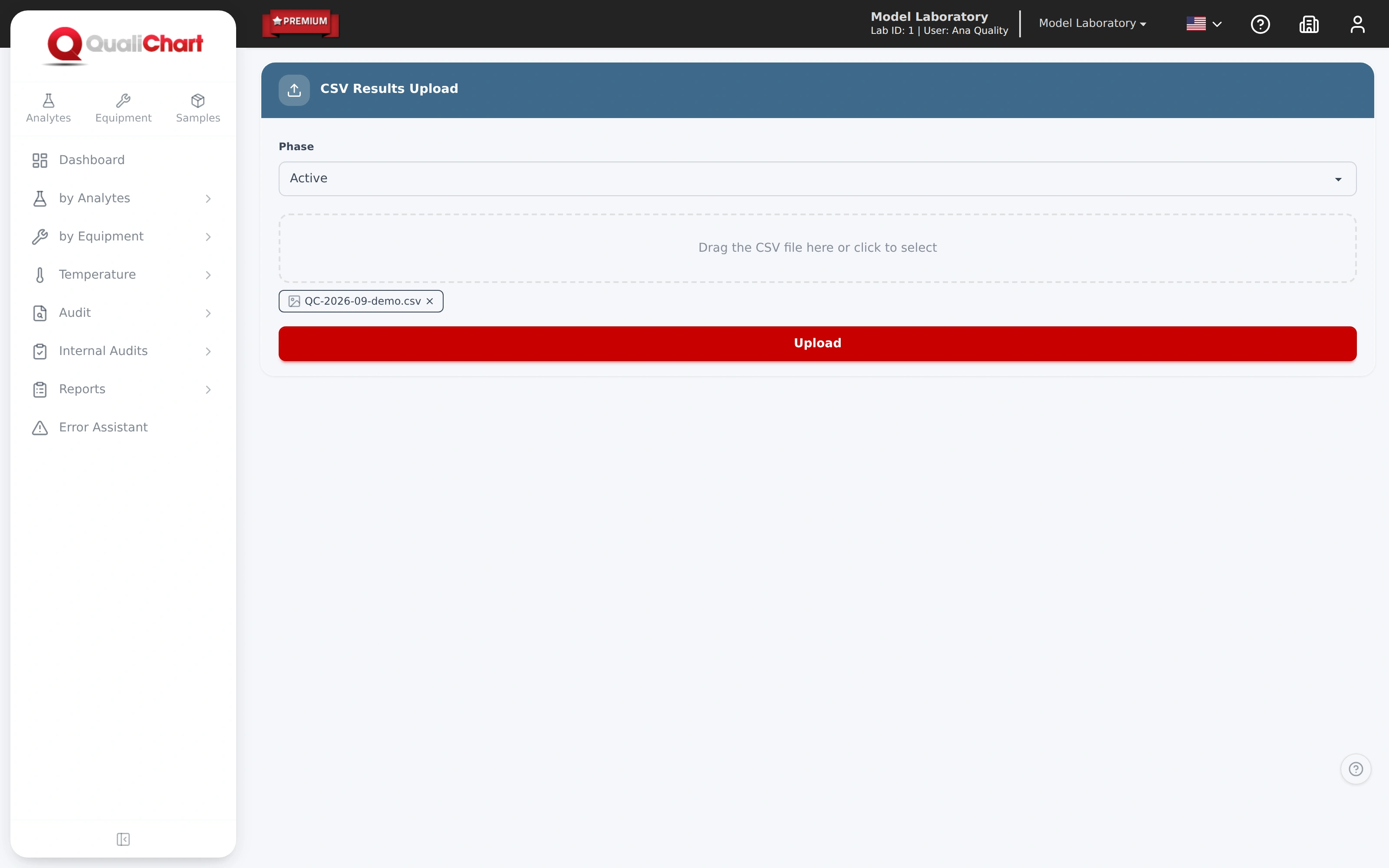
- CSV import with a choice of control phase
- Custom layouts from the instrument or the LIS
In the laboratory routine
Less retyping, more time to evaluate the control
In laboratories with several instruments and levels, entering IQC results takes up part of the routine. Every retyping is an opportunity for error even before the rules are evaluated.
-
The challenge
Many analytes on the same instrument
Entering one analyte at a time means moving between screens and lengthens the time until the routine is released.
In QualiChart
The entry by equipment gathers all analytes and levels of an instrument on a single screen, saved in one step.
-
The challenge
Values that are already in the instrument or the LIS
Copying results from a printed report or from another system duplicates work and may swap levels or values.
In QualiChart
CSV files or instrument- and LIS-specific layouts import the results, with a choice of control phase: preparation or active.
-
The challenge
Errors noticed after saving
A mistyped value only draws attention once the chart has already been updated.
In QualiChart
For option-based analytes, a value outside what the material accepts is highlighted before saving. On import, the row with an error is flagged for correction.
How it works
Three ways to enter results, the same rules
Choose how to enter the results
The control panel for one analyte, the entry by equipment for several and a file for exported results.
Check the instrument, level and phase
Before uploading a file, check the external codes, the level, the lot and the control phase.
Save and follow the evaluation
The Westgard rules or the material's criterion evaluate each result, and the chart and statistics are updated.
Review what was imported
Open the control panel and confirm results, dates and levels. If a row fails, correct it and upload it again.
Capabilities
Results come in the way your routine needs.
Enter results on the control panel, record every analyte of an instrument at once or import the files exported by the instrument or the LIS.
- Entry by EquipmentAll analytes and levels of an instrument on a single screen.
- Validation before savingFor option-based analytes, a value outside what the material accepts is highlighted before saving.
- CSV importResults sent by file, choosing the control phase.
- Custom uploadFiles in layouts specific to the instrument or the LIS.
- Integration assessed with youThe connection depends on the instrument, the LIS and the format they export.
Requirements and good practice
Data recording and integrity
- RDC 978/2025 · Art. 180, item I
The analytical phase is monitored by analyzing the control sample, recording the result obtained and analyzing the data.
Read the source - RDC 978/2025 · Art. 116
Changes to records must include the date and the person responsible, preserving the original data.
Read the source - ISO 15189:2022 · 7.6
The laboratory shall control its information systems and data transfer to preserve the integrity of information.
Read the source
Integration depends on the instrument, the LIS and the format they export, and is assessed with the laboratory. Verify the data transfer before adopting it in the routine.
Does QualiChart connect directly to the instrument?
The form of integration depends on the instrument, the LIS and the format they export. Import by CSV and by custom layouts is assessed with you for each scenario.
Do imported results go through the same rules?
Yes. Once imported, the results are evaluated by the rules configured for the analyte, just like those entered on the control panel.
Can I import qualitative results?
No. Qualitative and semi-quantitative analytes are entered on the control panel or through the entry by equipment; the import rejects these rows and shows the number of each one.
Does the import record the reagent lot?
Yes, when the critical supplies module is in use. The optional sixth CSV column provides the reagent lot, which must be declared in use in the control.
Further reading
Related content
Your next step in quality control
Put QualiChart to the test. Free for 30 days.
Create your account and evaluate QualiChart in your laboratory. Do you prefer a guided introduction? Request a demo with our team.