Cause investigation
Support in interpreting error types and evaluating hypotheses to guide corrective actions.

QualiChart PLUS
Add Premium features to guidance from a scientific advisor. Investigate stability losses and discuss interpretation of control results.
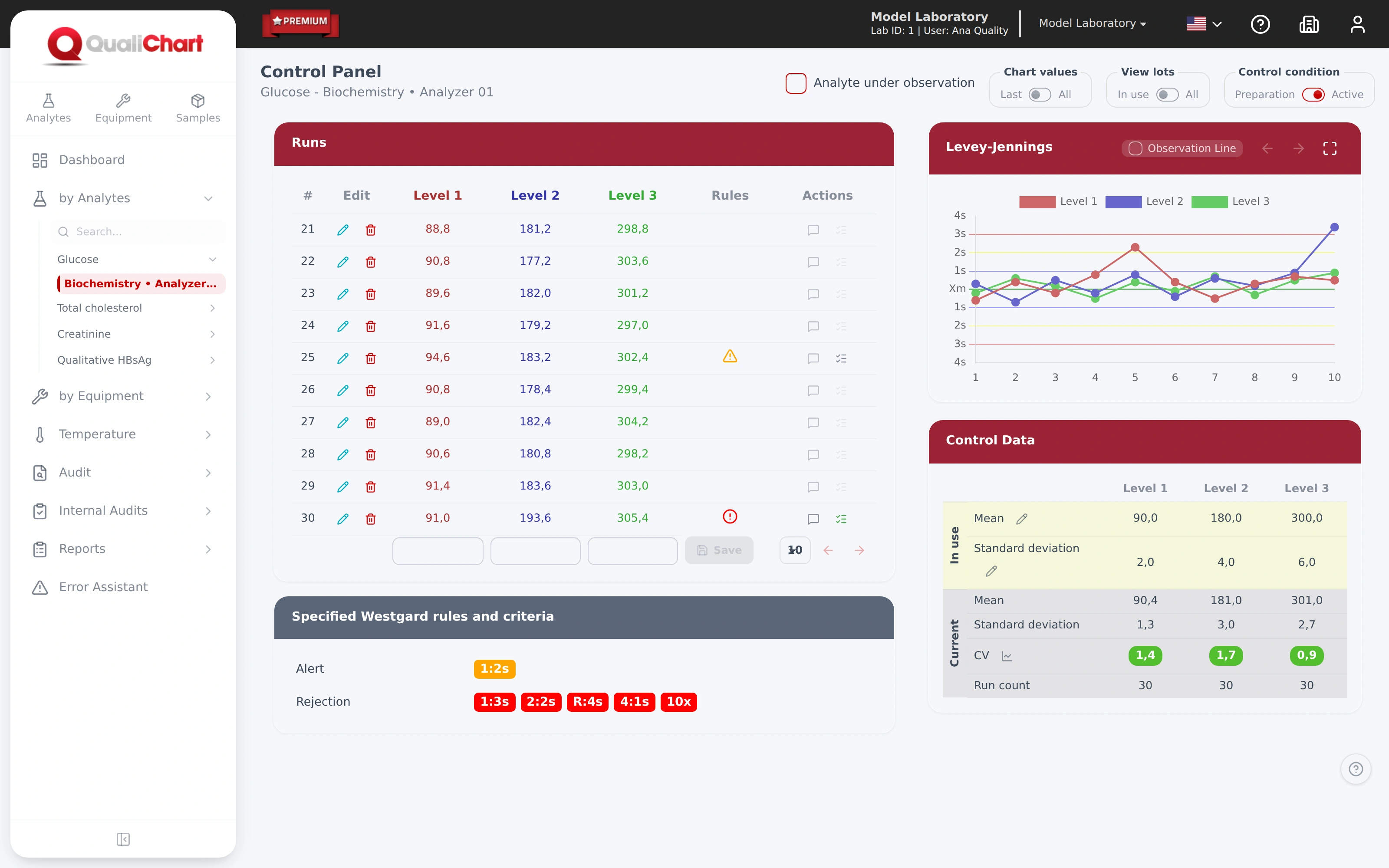
Support in interpreting error types and evaluating hypotheses to guide corrective actions.
Configuration and guidance for the first analyzes within the contracted scope. The base plan includes five pieces of equipment.
Support in training and understanding data when there are changes in the laboratory team.
In practice
PLUS adds scientific support to Premium features and tracking. The discussion starts from data and laboratory conditions to evaluate hypotheses, interpretation and actions. The base plan includes five pieces of equipment; units and expansions are sized in the proposal.
Take the chart, the rule observed, the levels involved and the period in which the change began. Gather pertinent batch, material preparation, calibration, and maintenance records. This sequence helps distinguish evidence, hypothesis, and action, rather than seeking an explanation only at the point that exceeded the threshold.
The consultant supports the analysis; technical responsibility and execution of procedures remain in the laboratory. Agree frequency, scope, form of registration and deliverables before hiring. The AI assistant shown on the screen is a support resource distinct from human consultancy and its suggestions require technical evaluation.
Compare scope of plans →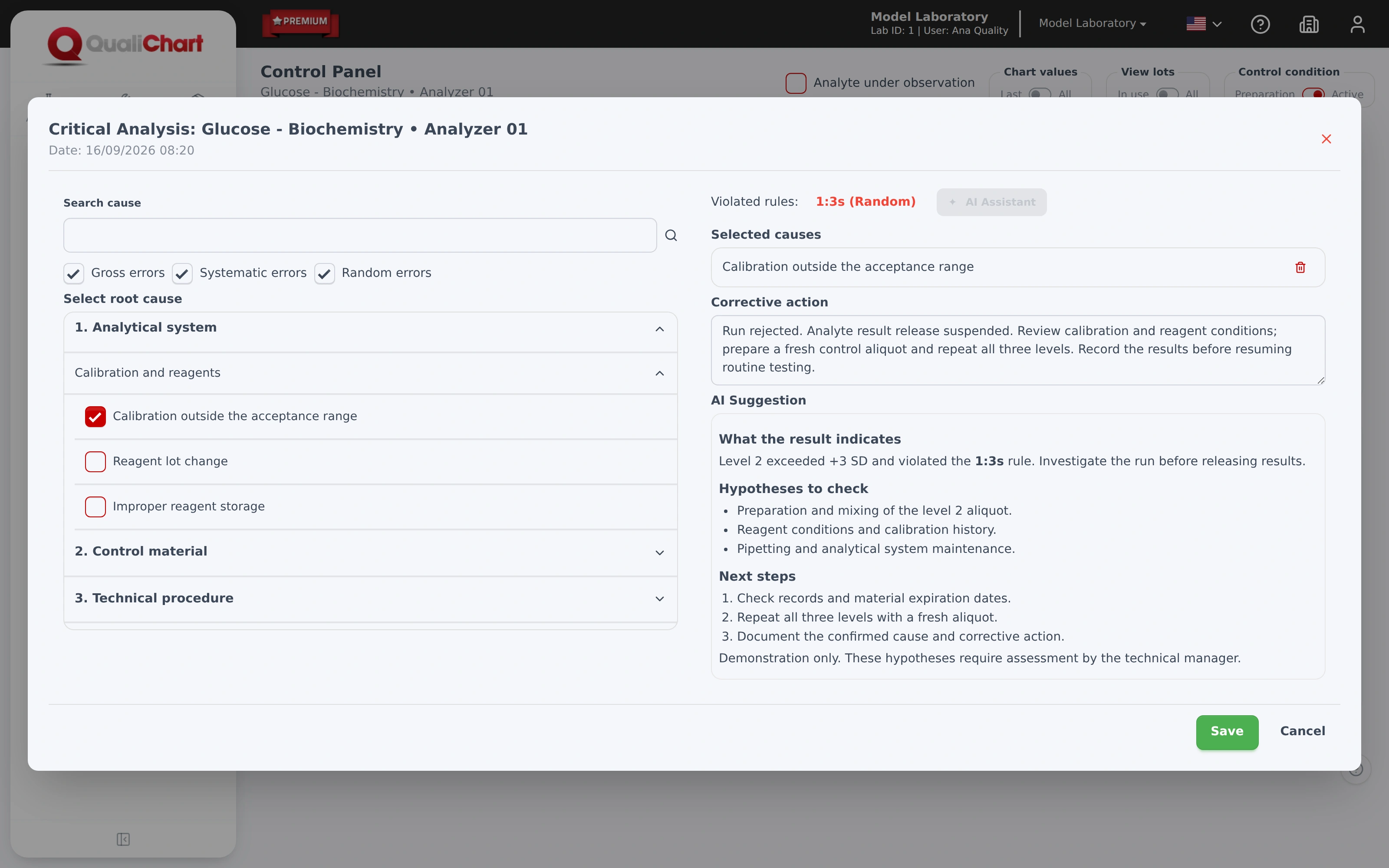 Enlarge screen
The price depends on the number of units and equipment, in addition to the plan and monitoring chosen. Therefore, prices are upon request. Request a proposal with the scope of your laboratory.
In the demonstration, we show the routine and data that you already use. The team combines the setup and training outlined in the plan. The schedule depends on this survey.
The system offers import of runs via CSV file. The team guides the format and evaluates the data available for the transition.
Compare with Spreadsheets DoesEnter the manufacturer, model and export format. Compatibility needs to be assessed for your environment prior to hiring.
Understand integrationAccess to the system is via user account and HTTPS connection. The Privacy Policy describes data processing and the channels for exercising your rights under the LGPD. Ask the team for the data storage, backup, access and processing conditions applicable to your contract.
Security and privacyYes. You can create an account and evaluate the system for 30 days free of charge. You can also request a guided demonstration. The commercial proposal informs users, equipment, validity, billing and cancellation rules before contracting.
Start my 30-day trialRecords for quality
RDC 978/2025 establishes requirements for services that perform clinical analysis tests. QualiChart helps organize control results, evaluation criteria and investigation records for review by the technician responsible.
Gather runs, graphs, average, standard deviation and CV by control, level and equipment.
Document the critical analysis, the hypotheses investigated and the actions in the face of results outside the criteria.
Consult the history to prepare technical discussion, audits and process evaluation.
The system supports documentation; compliance depends on the execution of laboratory processes. Diagnose your IQC routine.
Does your team use spreadsheets today?
Compare how investigation results, formulas, permissions, and records are maintained in a spreadsheet and a dedicated system.
Your next step in quality control
Create your account and evaluate QualiChart in your laboratory. Do you prefer a guided introduction? Request a demo with our team.