
Reports and management
IQC reports ready for audits, inspections and management.
Control records are issued as PDFs with the laboratory's header, in the language you choose. The dashboard and account administration organize the work of the team and the branches.
- PDFs per analytical system, including in batches
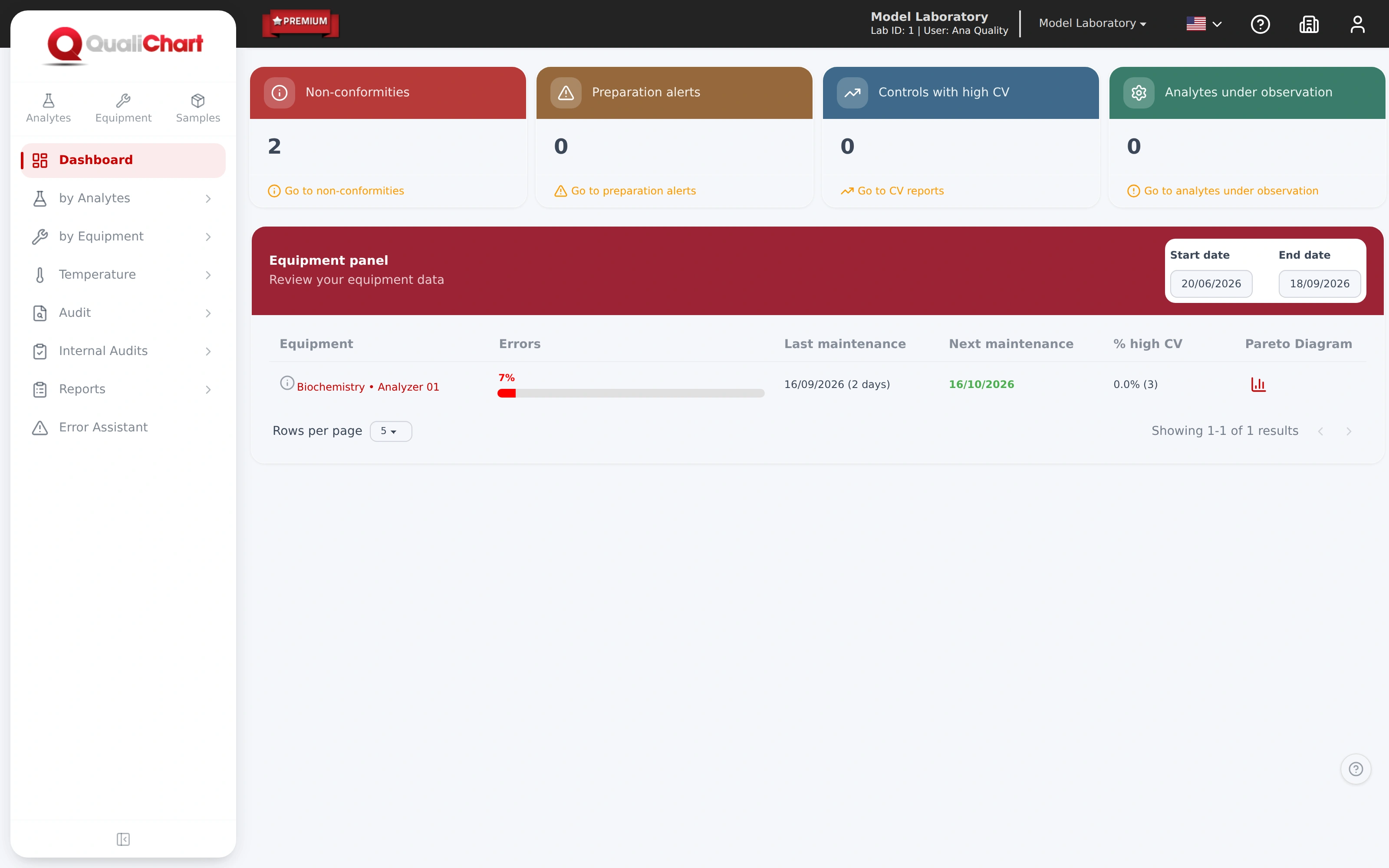
- Dashboard with nonconformities and high CV
- Access profiles and multiple branches
In the laboratory routine
Organized evidence when it is requested
In audits, inspections and management review meetings, the team must present the control history with context: material in use, incidents, investigations and the people responsible. Brazil's RDC 978/2025 requires these records to be kept for at least five years.
-
The challenge
Putting together the history of several systems
Gathering charts, runs and incidents for the period for each analyte and instrument takes hours before an audit.
In QualiChart
Select several analyte and instrument combinations and receive a ZIP file with one PDF per analytical system.
-
The challenge
A view of the whole laboratory
Finding open nonconformities and controls with high CV means going through one control after another.
In QualiChart
The dashboard shows nonconformities, warnings in preparation, controls with high CV and analytes under observation, with shortcuts to each list.
-
The challenge
The team's access and responsibilities
People change roles or leave the laboratory, and the history of what they did must remain intact.
In QualiChart
Users have access profiles and can be blocked without being deleted, preserving the history of actions. Each branch has its own technical manager.
How it works
From the filter to the document
Choose the report
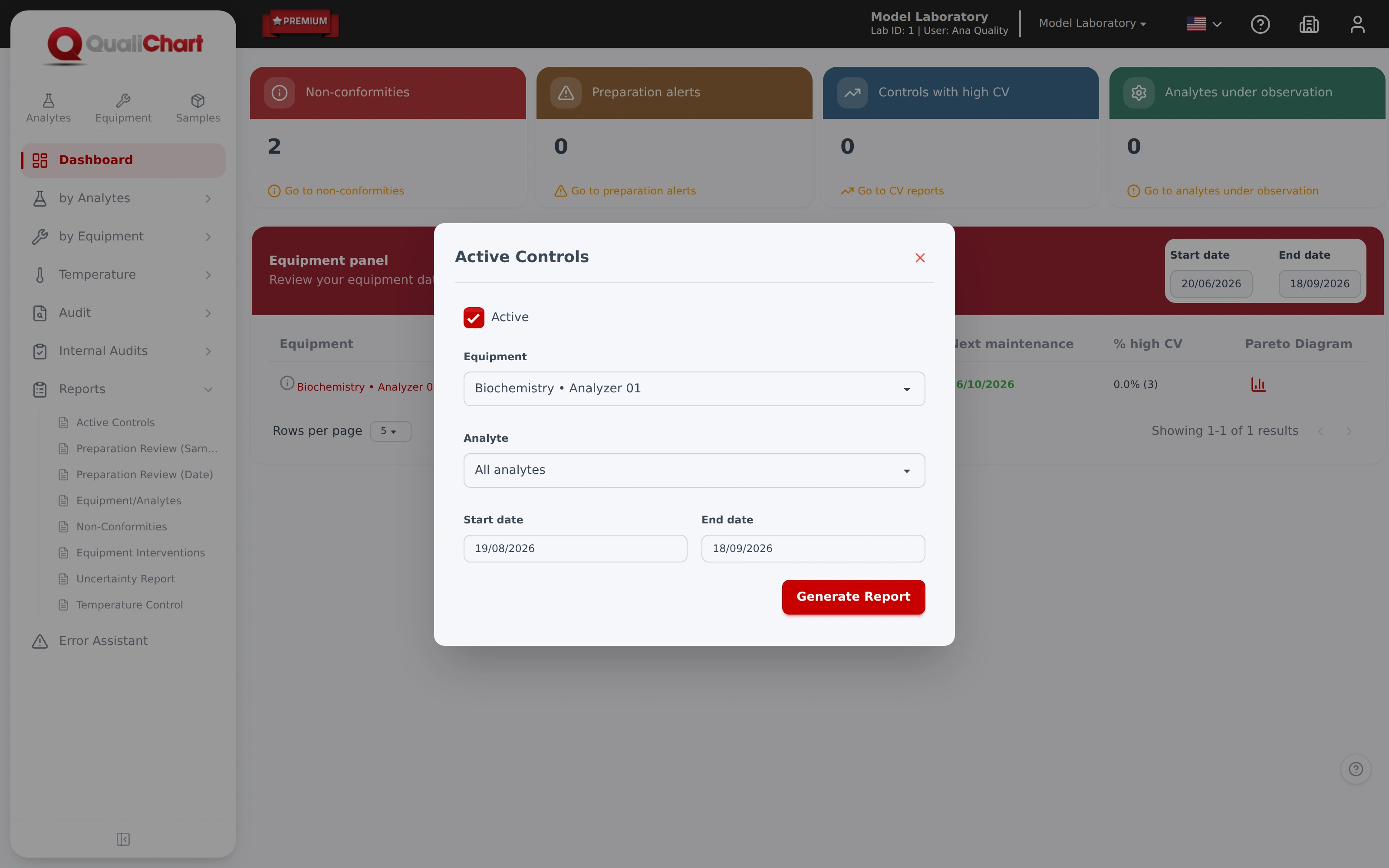
Active controls, preparation review, nonconformities, equipment and analytes, interventions, uncertainty or temperature.
Set the filters
Branch, instrument, analytes, control phase and period.
Generate the PDF
With the header of the laboratory and the analytical system, in the system language. Several systems come in a single ZIP file.
Use it in management
Present it in audits and inspections, file it as evidence and follow the dashboard day to day.
Capabilities
Records ready for audits and inspections.
Reports are issued as PDFs with the laboratory header, in the language chosen in the system. The dashboard and account administration organize the work of the whole team.
- IQC reportsActive controls, preparation review, nonconformities, equipment and analytes, interventions and temperature.
- Several analytical systems at onceA ZIP file with one PDF for each analyte and equipment combination.
- Laboratory dashboardNonconformities, preparation alerts, controls with high CV and analytes under observation.
- Users and access profilesBlock a user without deleting them and keep their action history.
- Multiple branchesEach branch with its own technical manager, address and contact.
- Portuguese, English and SpanishInterface, reports and manual in the chosen language, with help on every screen.
Requirements and good practice
Records that must be available
- RDC 978/2025 · Art. 115
All documentation and records required by the resolution must be kept for at least five years.
Read the source - RDC 978/2025 · Art. 117, item VI
Records of proficiency testing results and internal quality control must be up to date and available.
Read the source - RDC 978/2025 · Art. 174
The service must keep records of quality controls and written instructions for performing them.
Read the source - ISO 15189:2022 · 8.4
Records must be legible, identifiable and retrievable, with defined retention periods.
Read the source
The reports gather what was recorded in the system. Storing, reviewing and using the records follow the laboratory's procedures.
In which languages are the reports issued?
Portuguese, English and Spanish, according to the language chosen in the system. The interface and the manual are also available in all three languages.
Can I generate reports for several instruments at once?
Yes. In the reports per analytical system, selecting more than one analyte and instrument combination generates a ZIP file with one PDF per system.
Does QualiChart support laboratories with several branches?
Yes. Each branch has its technical manager, address and contact details, and the user chooses the working branch in the system header.
How is access controlled?
Each user has an access profile and a branch. A user can be blocked without being deleted, preserving the history of actions.
Further reading
Related content
Your next step in quality control
Put QualiChart to the test. Free for 30 days.
Create your account and evaluate QualiChart in your laboratory. Do you prefer a guided introduction? Request a demo with our team.